New The new Outlook no longer supports VBA. To continue sending emails use the code compatibleVBA Mailer

Cpde VBA logo
  • Code VBA
  • Access Mail Merge
  • VBA Mailer
    • Code VBA
    • Access Mail Merge
    • VBA Mailer
    • Code VBA
    • Access Mail Merge
    • VBA Mailer

Access Mail Merge
  • Getting started
  • Download & install
  • Demo databases
  • Mail merge process wizard
  • Template designer
  • Create documents
  • Compare with Word Mail Merge
Mail merge process wizard
  • Introduction
  • Data to transfer
  • Specify the template
  • Single or multiple documents
  • Process names
  • Saving documents
  • VBA code
Template Designers
  • Introduction
  • Word Template Designer
  • Excel Template Designer
  • PowerPoint Template Designer
Making changes
  • Changing templates
  • Rename or remove a process
Integration
  • Using macros
  • Button on form
  • Using VBA
VBA Code
  • VBA code
Publishing
  • Publishing your Access application

Create documents

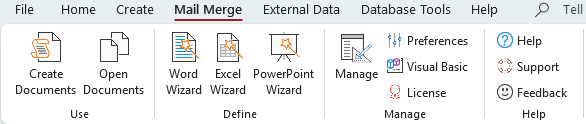
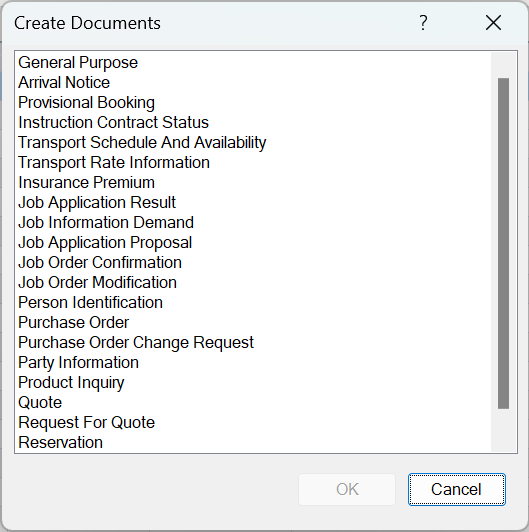
Create documents is started from the first button on the Access Mail Merge tab of the Access ribbon. It shows all mail merge processes you defined specifically for the active form or datasheet.

To start a document creation select the process name and press OK.

Note that this is just one way to run the process. Other ways are to run the procedure from a button on your form or using a macro – see ‘Integration’.
© 4TOPS | Code VBA. All Rights Reserved.
  • About
  • Privacy Statement
  • Licensing
  • Contact