Your AI Coding Assistant integrated in the VBA IDE
Code VBA is an invaluable extension to the VBA editor. The coding assistant is aware of your current code, the document or database you work with and has deep knowledge the Office application's objects and VBA syntax. Using this information, it provides an expanding menu suggesting code to be added. It improves both your knowledge of VBA and the objects involved and your overall coding productivity.
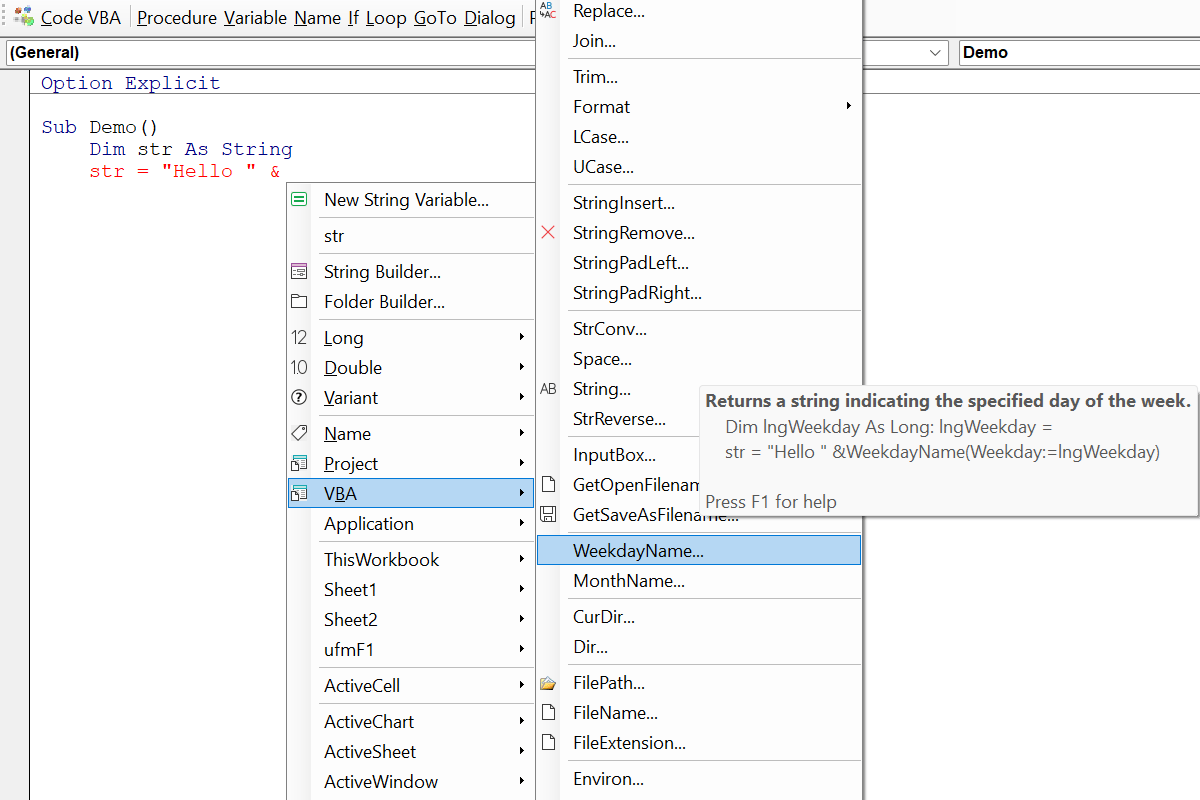
Improved IntelliSense
Starting from an standard variable assignment = or operator & Code VBA IntelliSense
Shift-SPACE opens a menu with all expressions that return the required type, here
String.

Code Explorer
The Code Explorer is a replacement for the VBA editor's built-in Project Explorer adding many additional features, such as easy navigation to procedures, starting a procedure using Run or from Immediate window, global renaming.
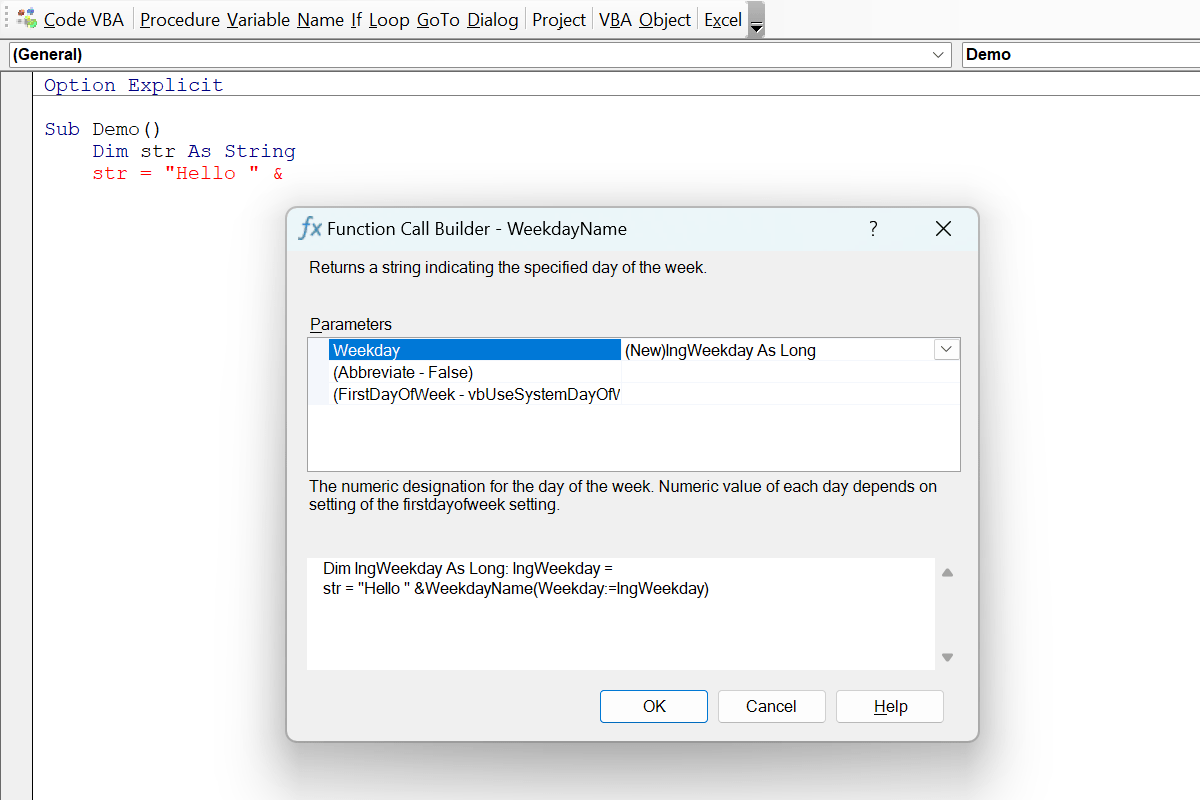
Function Call Builders
A procedure call builders appears whenever you selected a sub, function, property or method from a Code VBA menu and the procedure has more than one parameters involved.
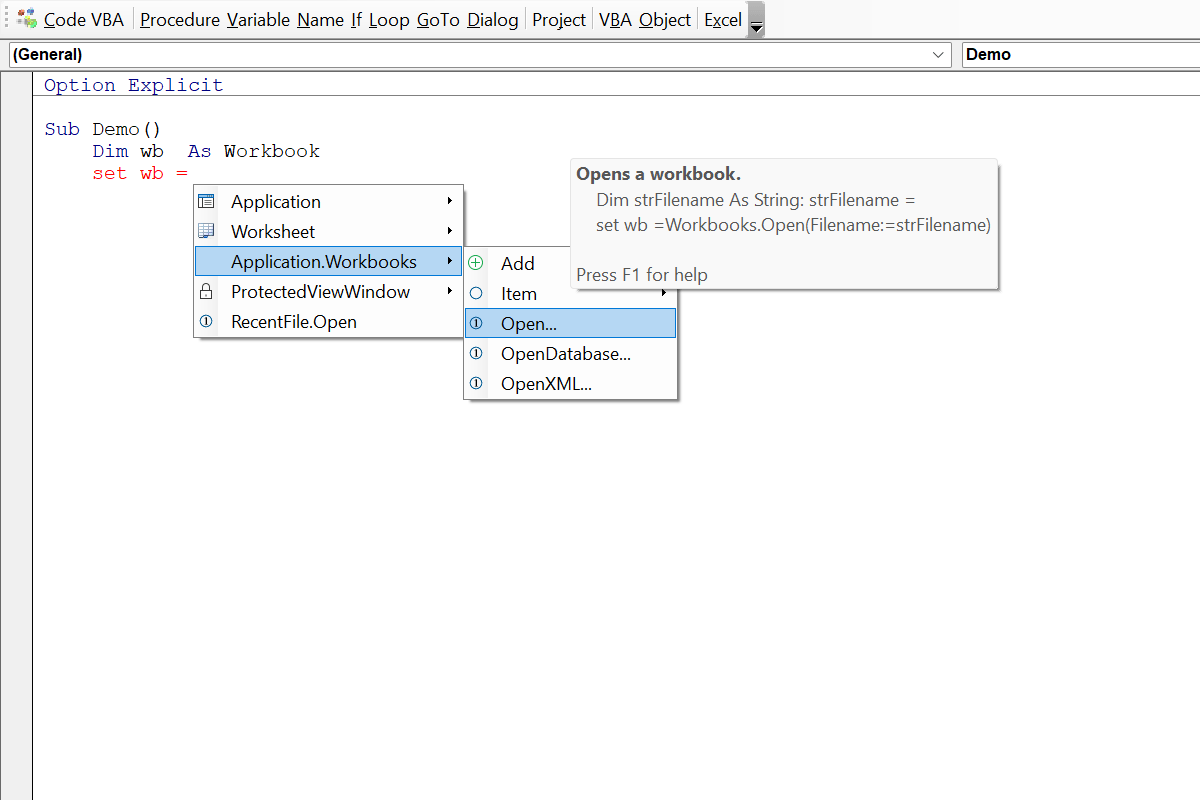
Set object variables easily
When started from an object variable assignment = Code VBA IntelliSense
opens a menu with all expressions that can be used to Set variables of that type, here Workbook.
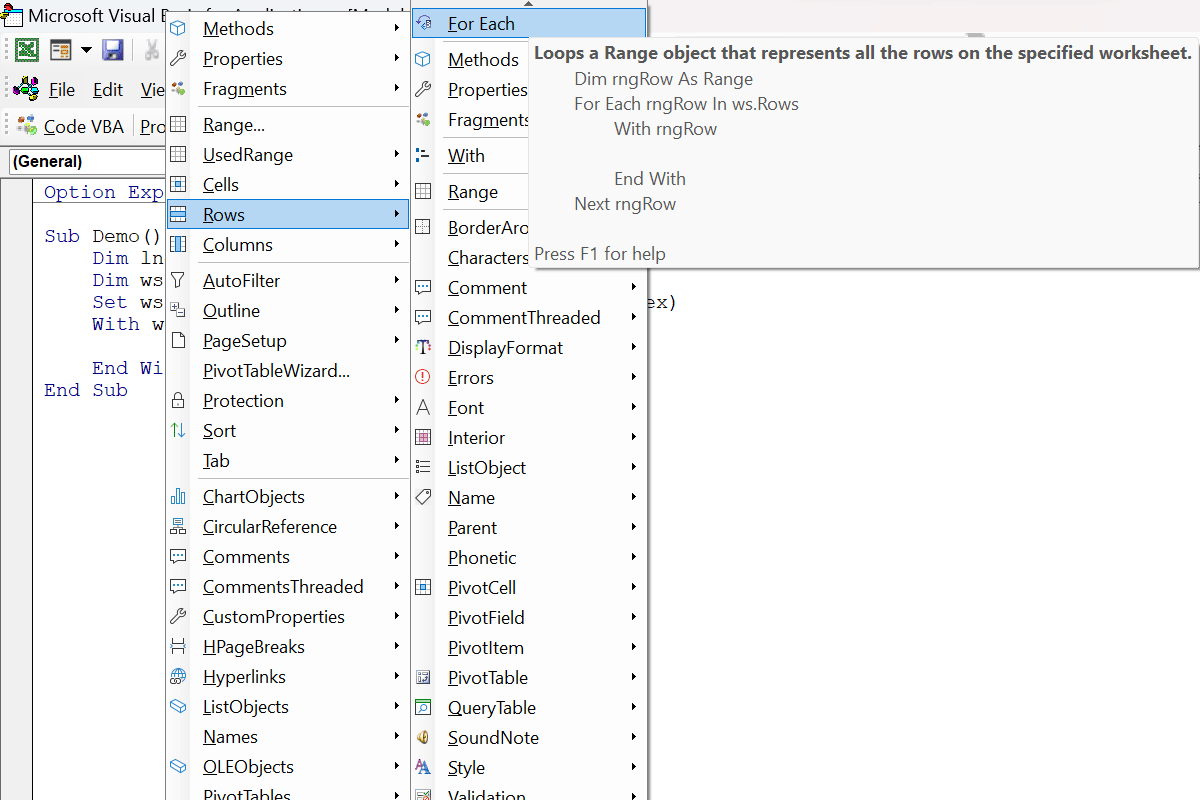
Insert For Each code block
Activating Code VBA IntelliSense on an empty line inside an object's With .. End With block
gives all that's available for that object, including looping objects of a collection property - here the Rows in a Worksheet.
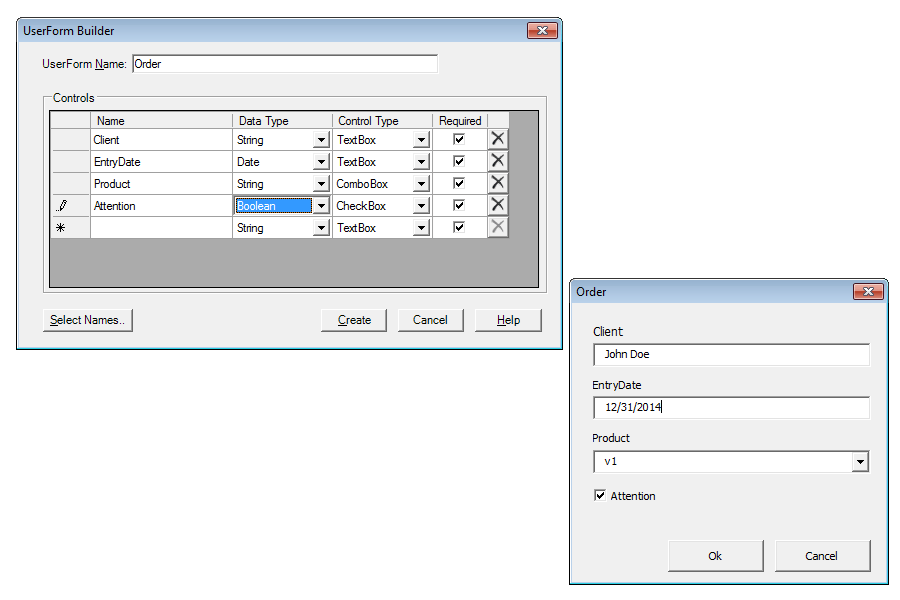
UserForm Builder
The easy and fast way to add VBA userforms to your project. Includes field input validation based on data type and being required or not.

Get the name of an object
Getting the name of an object such as a folder or document or sheet can be invoked from the Name menu, as continuation in a String assignment, or in the Constant Builder.
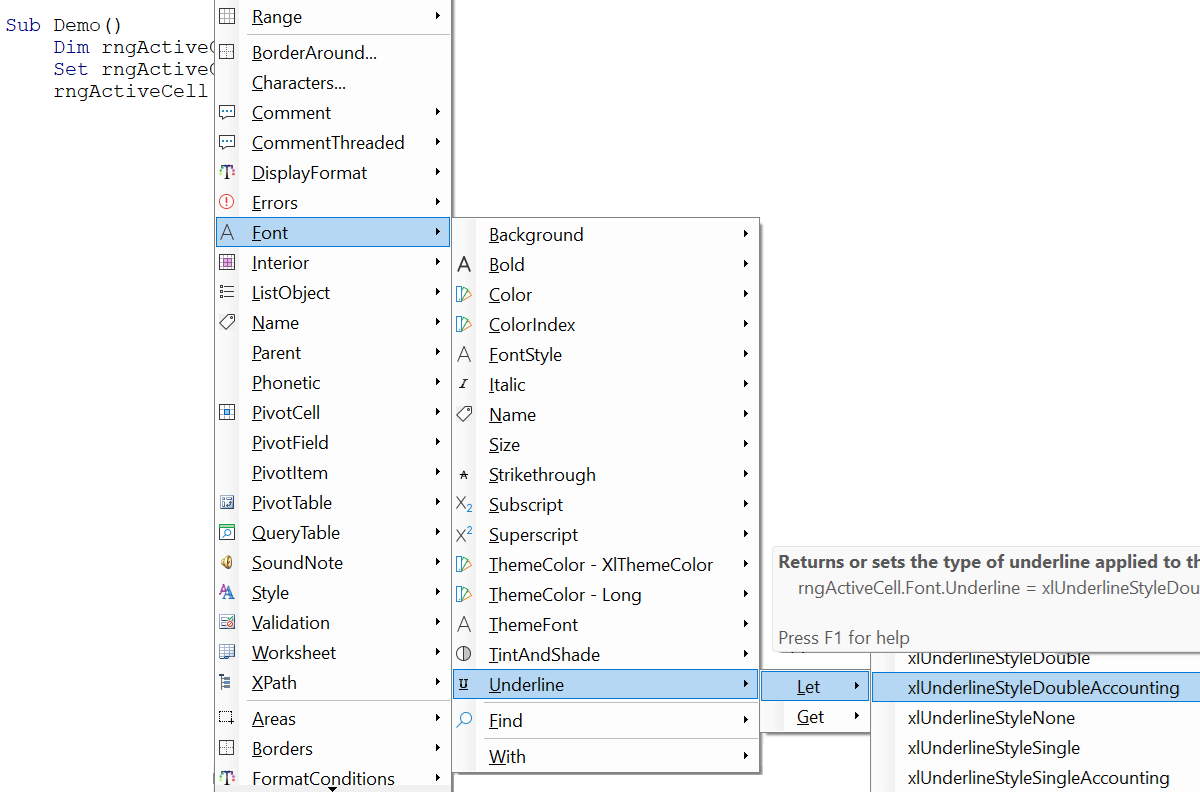
Complete lines of code
Complete lines, including setting of enumerated value, can be written just navigating down an object's menu. Such statements can be created using IntelliSense or from the Object menu.
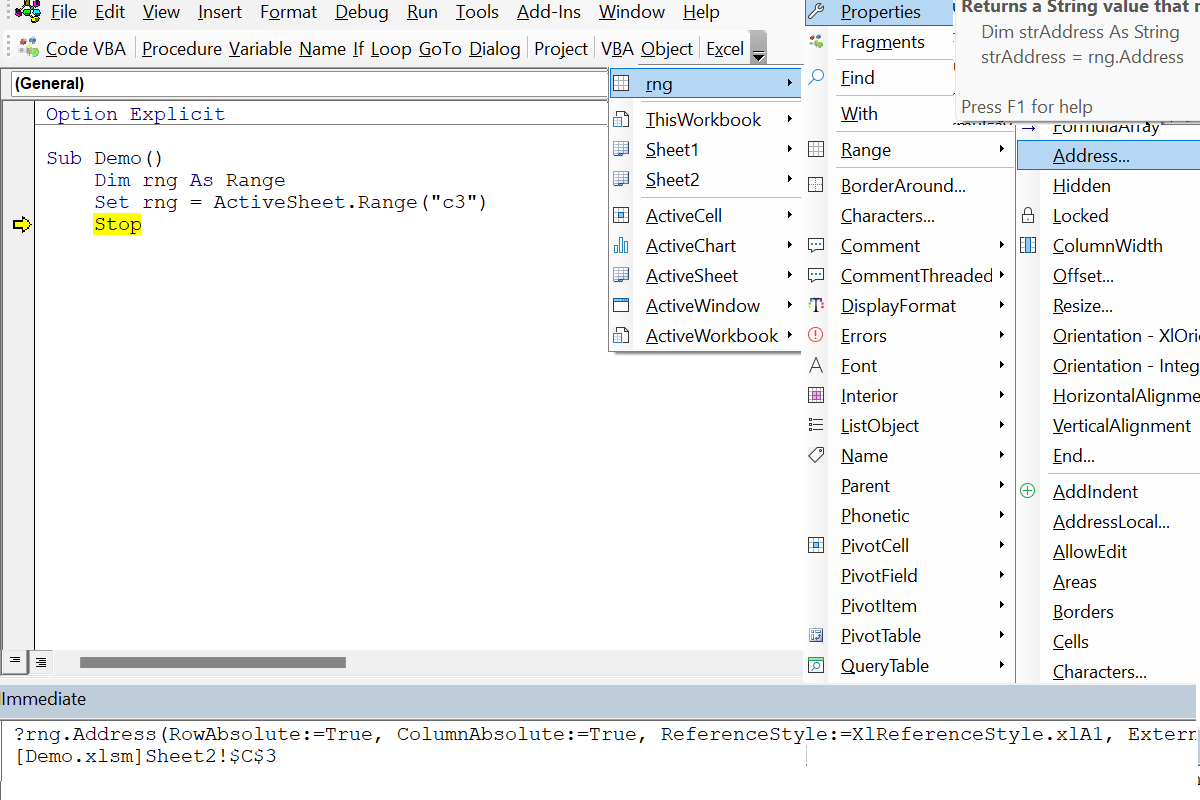
Inspect Object properties
In the Object menu it is possible to see the actual values of properties in the tooltip. Additionally you can have statements from the Object menu inserted into the Immediate window to run them there.

F1, Tooltips and online help
Menu tooltips and help are an important feature in Code VBA: The title summarizes the object or method; pressing F1 opens the web page with more information. Further, it shows what code will be inserted.
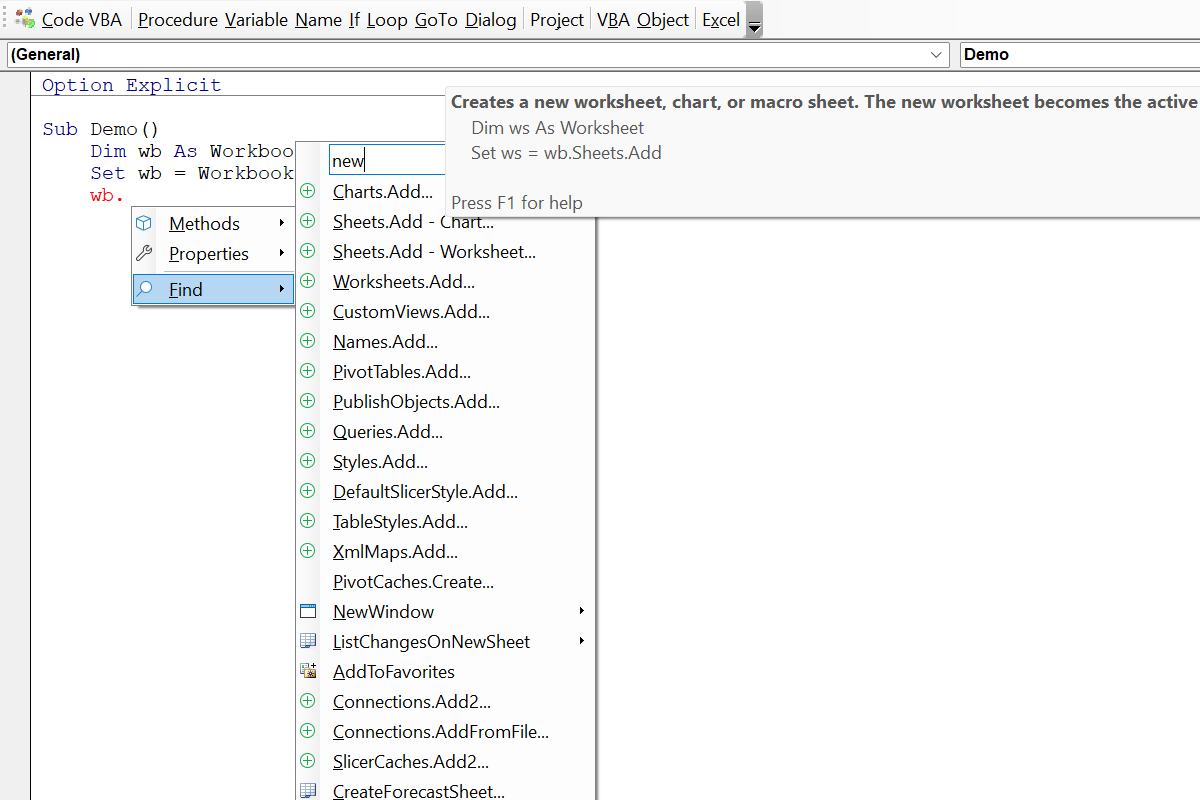
Finding the procedure you need
Office applications involve thousands of methods and properties, making the one you need difficult to find. The Find menu option returns a list of procedures that use the word.
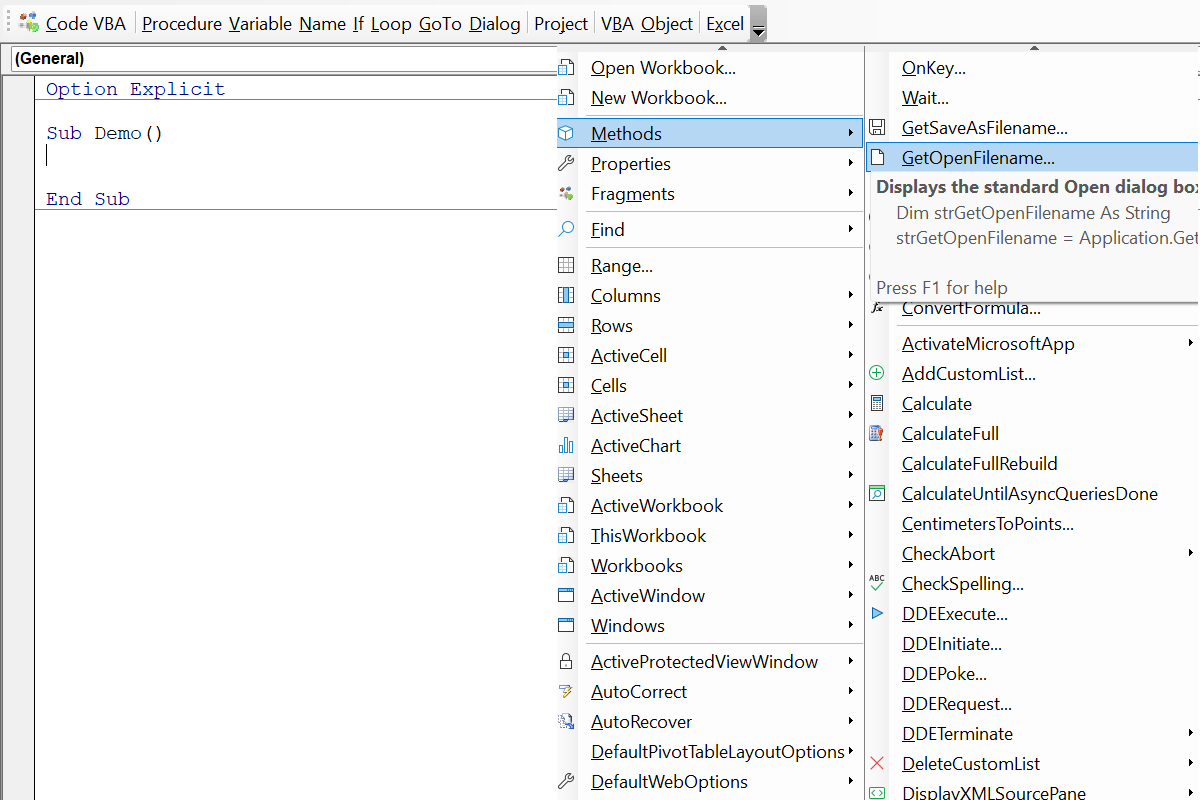
The Excel Application menu
The Excel Application menu gives you access to VBA code for
the Excel Application class specific global procedures. Includes opening an existing - or creating a new workbook.
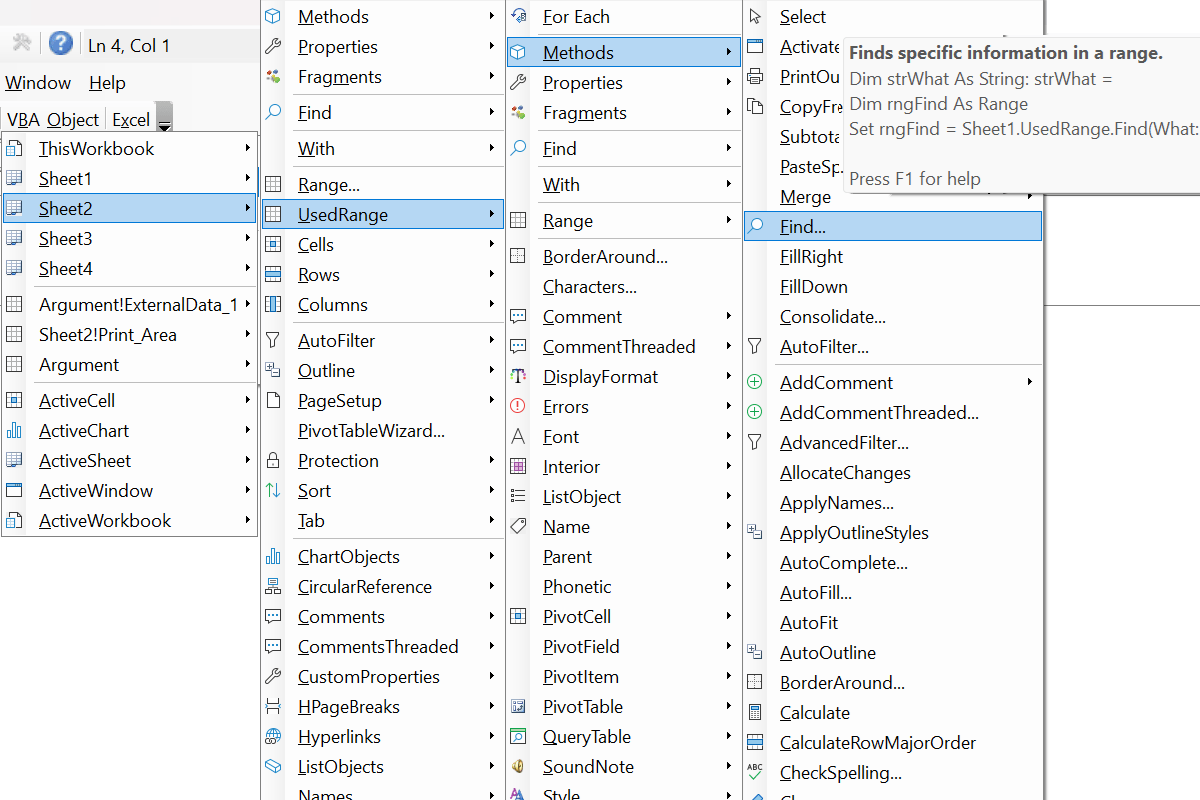
Excel Object menu
The Excel Object menu lets you instantly add VBA code from global object variables already present.
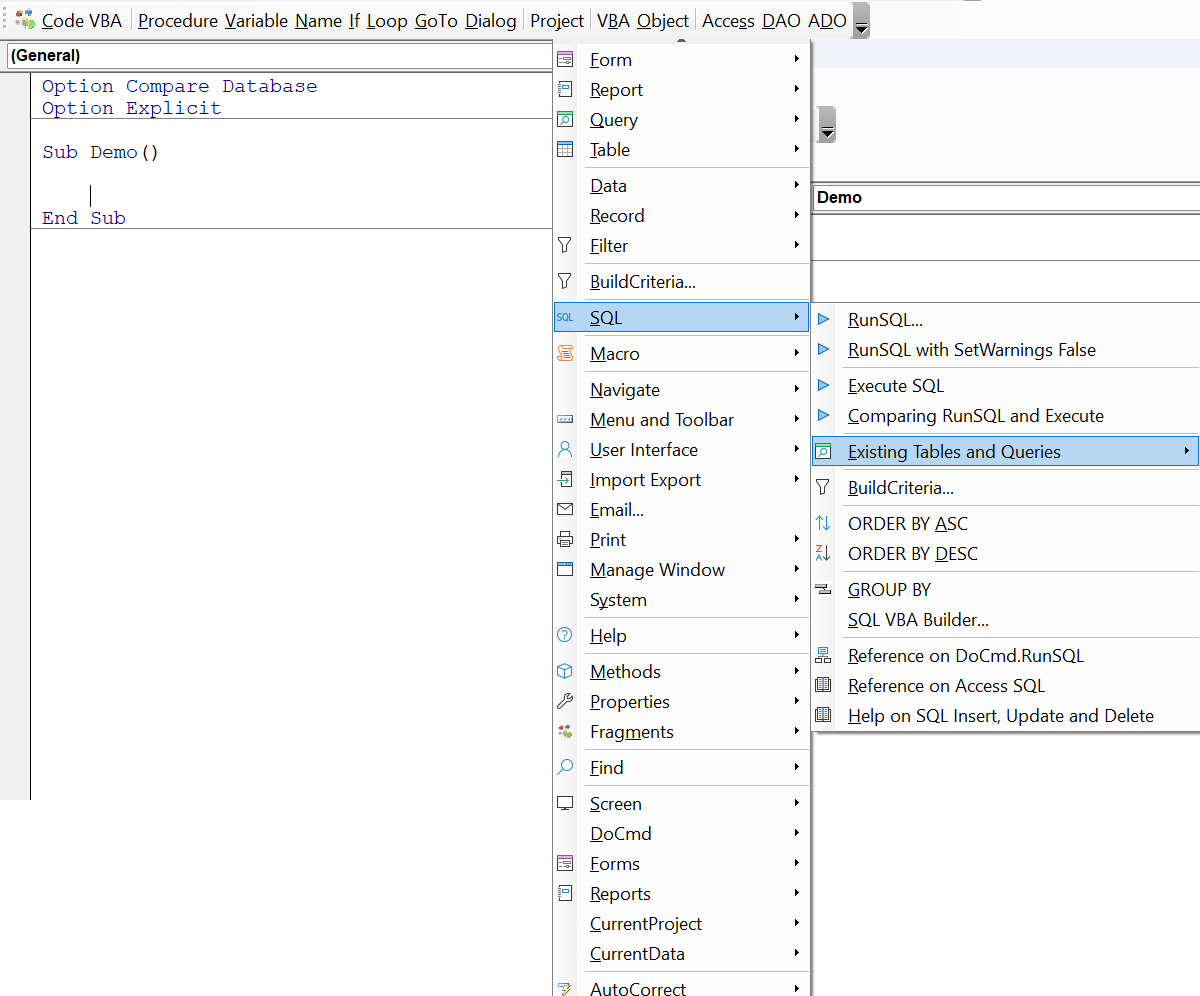
The Access Applicationmenu
The Access Application menu gives you access to the most commonly used VBA code organized in the same way as on the MS Access ribbon plus a tool to easily create SQL.
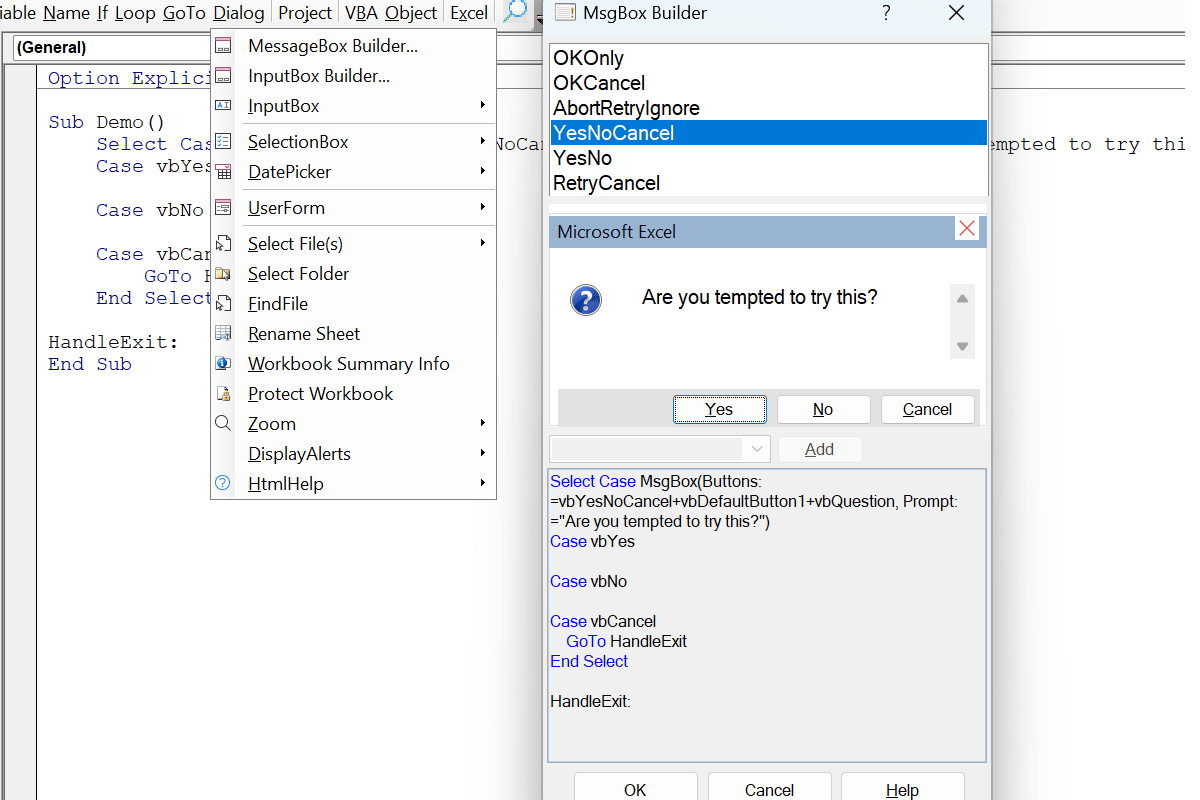
Dialog builders
Extensive support is available for the different kind of user interactions such as messagebox and inputbox, file, folder and date picker dialogs under menu Dialog.
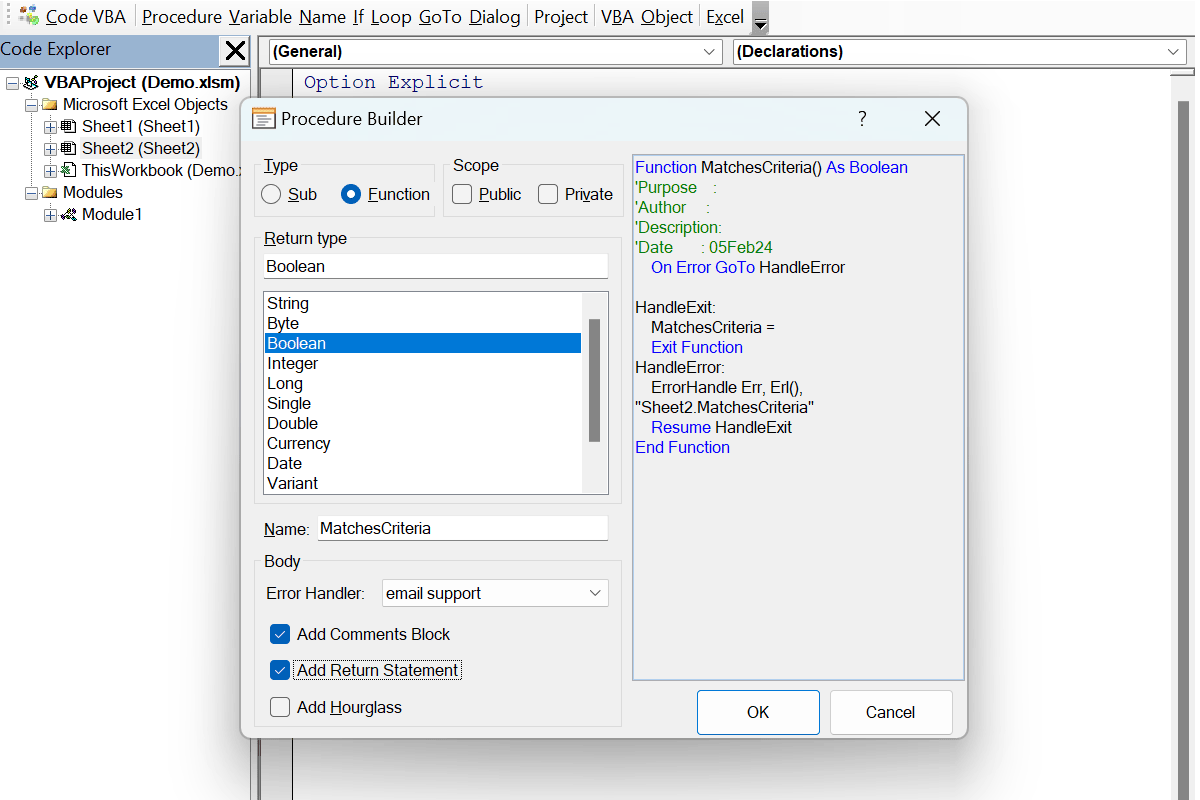
Procedure Builder
The Procedure Builder is specially helpful for larger (main) procedures. If required it can even add error handler code that allows the user to send an email to you giving details on what happened.

Error Handler
The Error Handler with reporting component is added to your project when you specify in your procedure you want in case of run-time errors the user to send an email to you giving details on what happened.
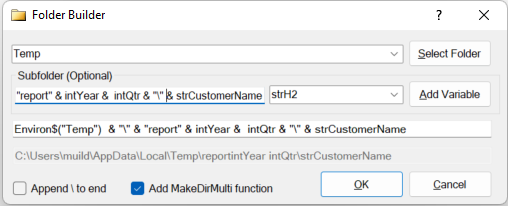
Folder Builder
The The Folder Builder helps to create code specifying the directory to store files in, optionally using variables in the file creation process. If the folder you want to use may not yet exist, you can have it automatically added.
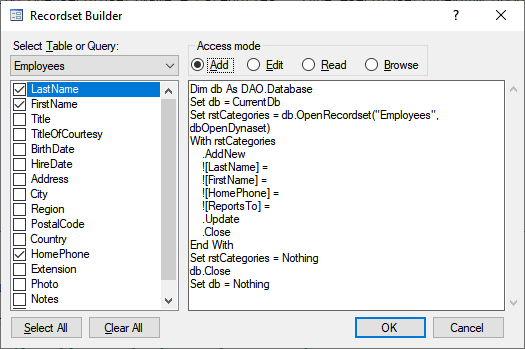
MS Access Recordset Builder
The The Recordset Builder makes it very easy to create code to add, read, update or browse data in your MS Access database using DAO (or ADO).
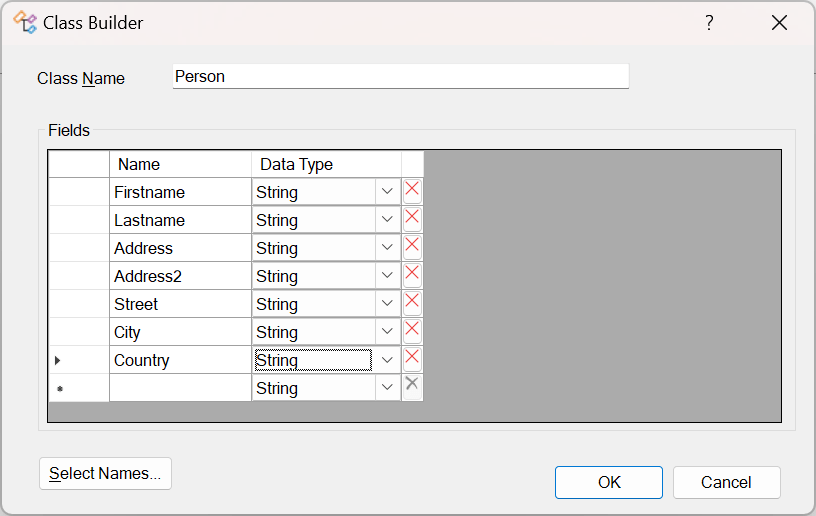
Class Builder
The Class Builder is a very convenient way to create a class with properties. Note: there also is a separate Property builder and generate class from table feature.
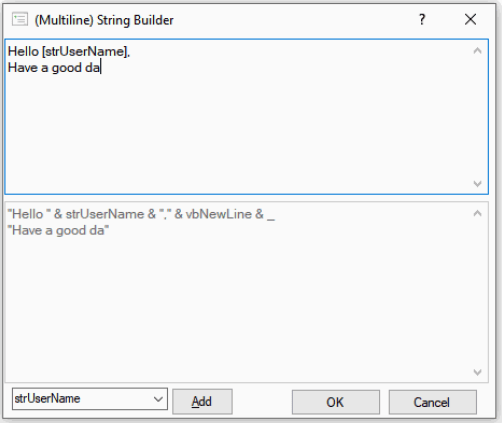
Multiline String Builder
The Multiline String Builder
simplifies the coding of string expressions that combine variables
and strings, possibly distributed over several lines.

VBA Code Library
Code VBA relies for most part on the VBA language and what the Office application offers. Still, we also found it convenient to be able to extend VBA with common functions and code snippets in a VBA Code Library which you can extend with your own code collections.

VBA String functions
Generally a more complete set of VBA string functions than the once already available in VBA is needed. We borrowed the ideas from other languages, notably VB.NET.

VBA Date functions
Both built-in VBA Date functions and custom functions and snippets included in the VBA Code Library can be selected from a continuations menu. The tooltip shows what code will be inserted.
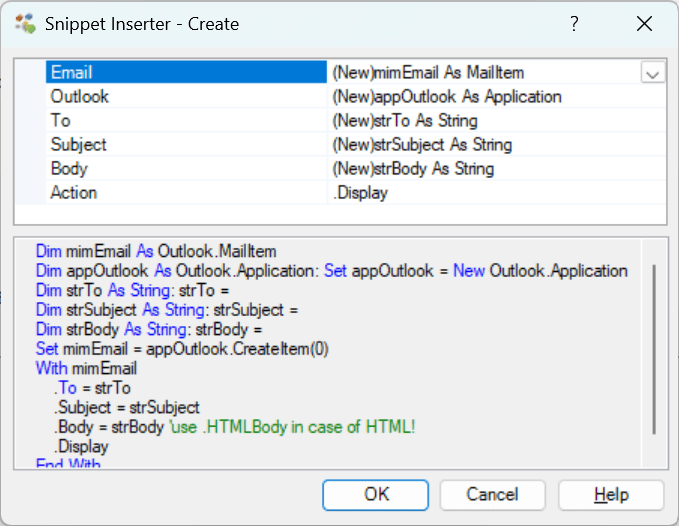
Inserting code snippets
The most convenient way to insert a code snippet is from the Library submenu of the object you are want to act on - in the Object menu. If the snippet involves more parameters, you can select them from the variables in your code context in the Snippet Inserter dialog.

Code snippet editor
To add snippets easily Code VBA includes a snippet editor. It supports the Visual Basic syntax, tag insertion for special instructions such as adding related modules or references, and save to the most appropriate VBA Code library subfolder.